
Table view
The table view renders your JSON as a table. Switch to it using the table tab in the header (route /table). Paste JSON in the working editor on the left and the table appears on the right.
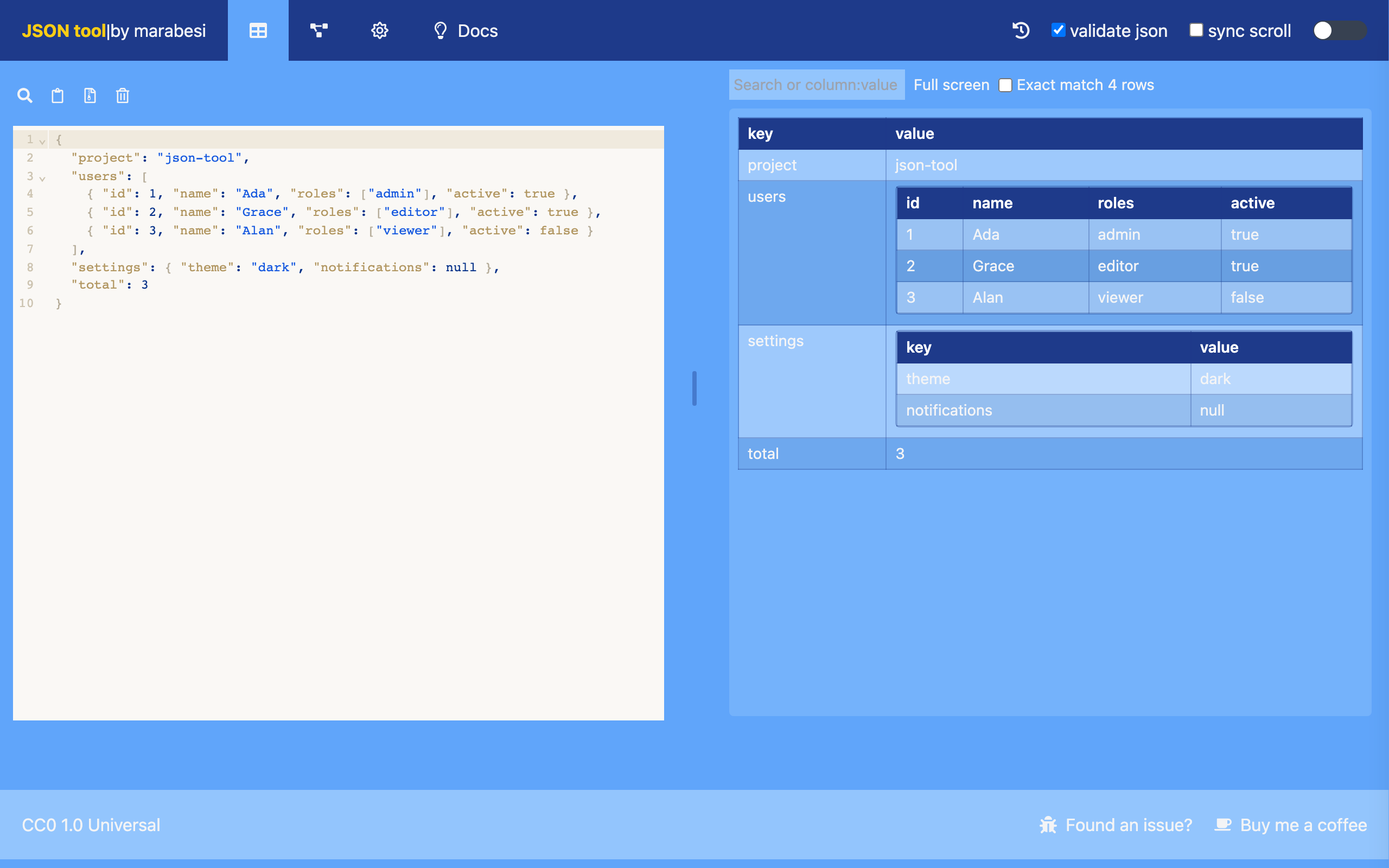
How JSON becomes a table
- An array of objects becomes one row per element, with a column for every property found across the array. Missing properties are left empty.
- An array of simple values (strings, numbers, booleans) becomes a single
valuecolumn. - A single object becomes a table with
keyandvaluecolumns. - Any other scalar value is shown alone.
- Nested objects and arrays are rendered as smaller tables inside the cell. Arrays of primitive values inside a cell are shown comma separated.
- An empty array renders as
[]; an empty object renders as{}.
Toolbars
The left toolbar is the same editor toolbar as on the home view (search, paste from clipboard, upload a JSON file, delete all). The right side has the table controls described below.
Searching in the table
Type in the search box to filter the rows.
- The search is case-insensitive and checks every column, including nested values.
- Search a specific column with
column:value, for exampleindex:0keeps only the rows where theindexcolumn matches0. The column name is matched case-insensitively and can be abbreviated (idx:0also matchesindex). - For a key/value table (single object), the columns are
keyandvalue, so you can searchkey:nameorvalue:true. - Matching is fuzzy by default: the characters of the term only need to appear in order, so
msematchesMouse. This applies to both the column name and the value. - Turn on Exact match to require the value to be exactly the term (ignoring case) instead of fuzzy matching. For example,
index:0with exact match keeps only the rows where the index is0, not10. - Rows without a match are hidden and No matching data is shown when nothing matches.
- The counter next to the search box shows how many rows are currently displayed (for example
2 rows) and updates while you type.
Full screen
Use Full screen to expand the table to the whole page, and Exit full screen to go back.