
Shape view
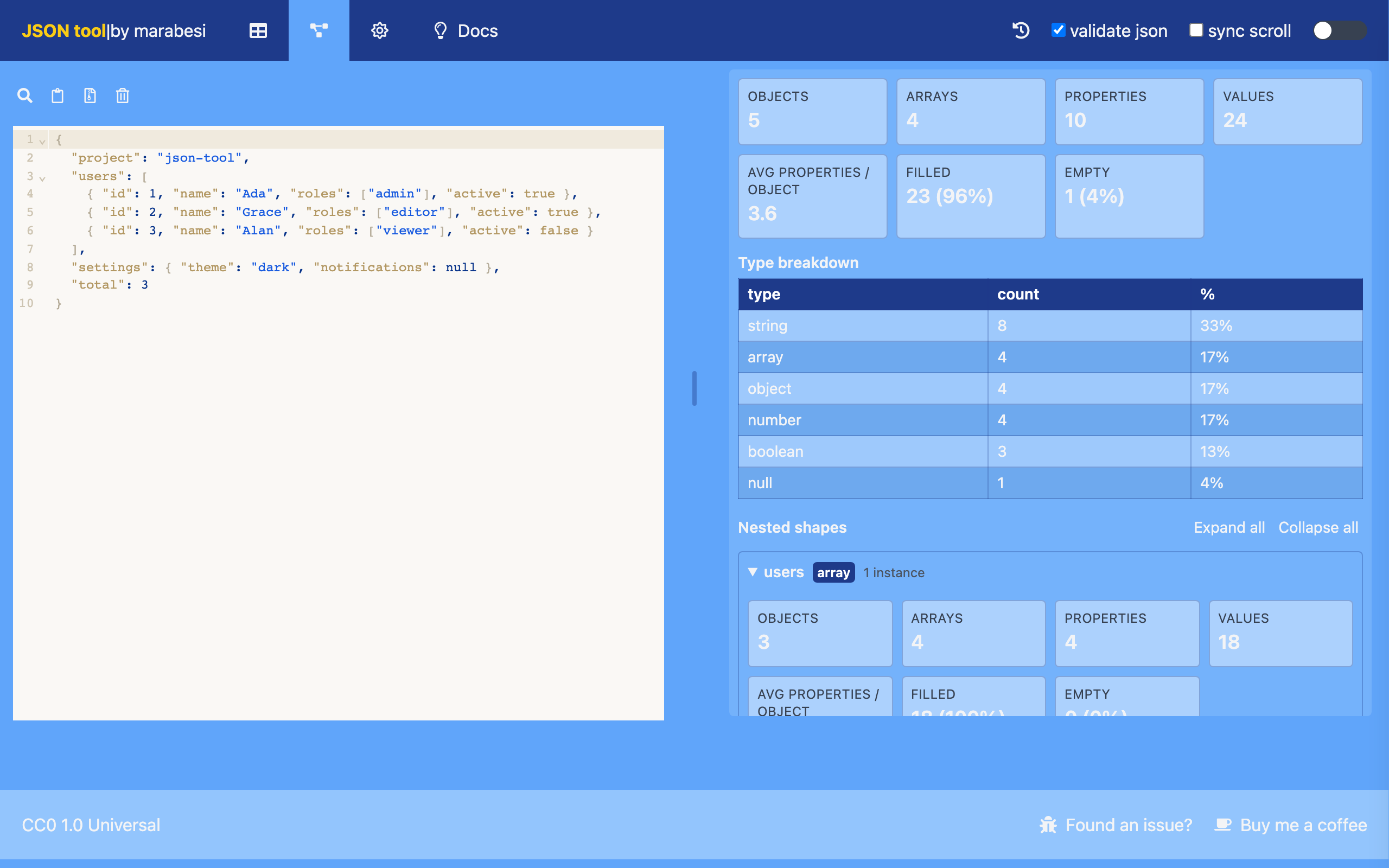
The shape view summarizes the structure of your JSON. Switch to it using the shape tab in the header (route /schema). Paste JSON into the working editor and the right pane shows an aggregate analysis of the whole document plus the same analysis for every nested object/array shape.
Statistics
For the whole document and for every nested shape, json-tool reports:
| Statistic | Meaning |
|---|---|
| Objects | Total objects in the subtree |
| Arrays | Total arrays in the subtree |
| Properties | Distinct property names |
| Values | Total values (property values plus array elements) |
| Avg properties / object | Property values per object |
| Filled | Count of values that are not empty (with percentage) |
| Empty | Count of values that are empty (with percentage) |
| Type breakdown | Count and percentage for each JSON type, sorted by count |
A value is considered empty when it is null, "", [] or {}.
Nested shapes
- Every nested object and array gets the same statistics, scoped to that part of the JSON.
- Repeated shapes are aggregated into a single node. For example, 32 objects with an
authorfield produce oneauthornode with an instance count of32. - A nested shape appears only under its parent path; paths are never duplicated across levels.
- Fields inside an array are measured against the number of elements; nested objects inherit the enclosing population, so percentages never exceed 100%.
Each nested shape is a collapsible section showing its path, its type (object, array or scalar) and how many instances it has, followed by the same statistics panel and its own nested shapes.
Use Expand all and Collapse all to open or close every nested shape at once.